Fleet condition
The objective of monitoring the condition of equipment is so that the sales representative can monitor the status of customers' equipment as an input into working with the customer to optimise their component lives.
This feature is only available if the Condition Based Maintenance (CBM) module is being used. The Condition Based Maintenance module imports condition monitoring data and interprets it against components. It also automates the creation of emails, AMT messages and AMT work orders for alerts and exceptions.
Navigate to Long-term Planning > Fleet Condition.
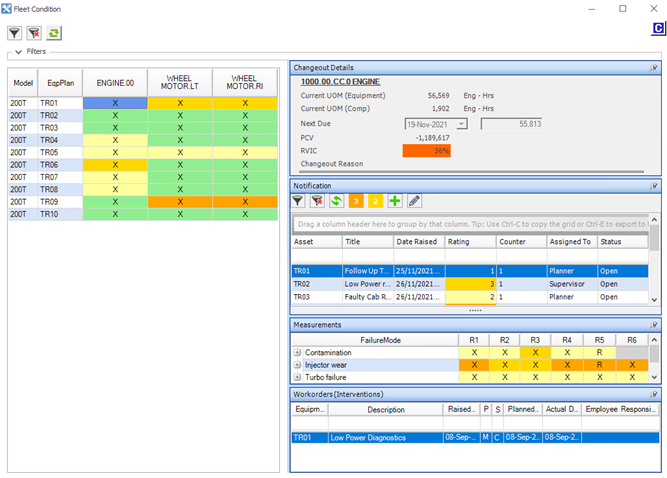
On this dialog box, you can view the health of components in one list (the grid on the left), along with corresponding notifications, measurements and condition monitoring interventions on the right.
The colour of the cell in both grids indicates the status, from OK to High Alert. The letter in the cell indicates the status of the last failure mode assessment made by AMT.
- X = Not reviewed.
- R = Reviewed.
- C = Closed.
When you click on a cell in the grid on the left, these details display on the right:
- Changeout details: Next due details, Projected Cost Variance and Residual Value in Components.
- Notifications: Details of the last six readings.
- Messages: AMT messages (alerts) generated for that component.
- Work orders (interventions): The work orders performed on that component since its last changeout that have been flagged as interventions. An intervention means that the component has had something done to extend its life.